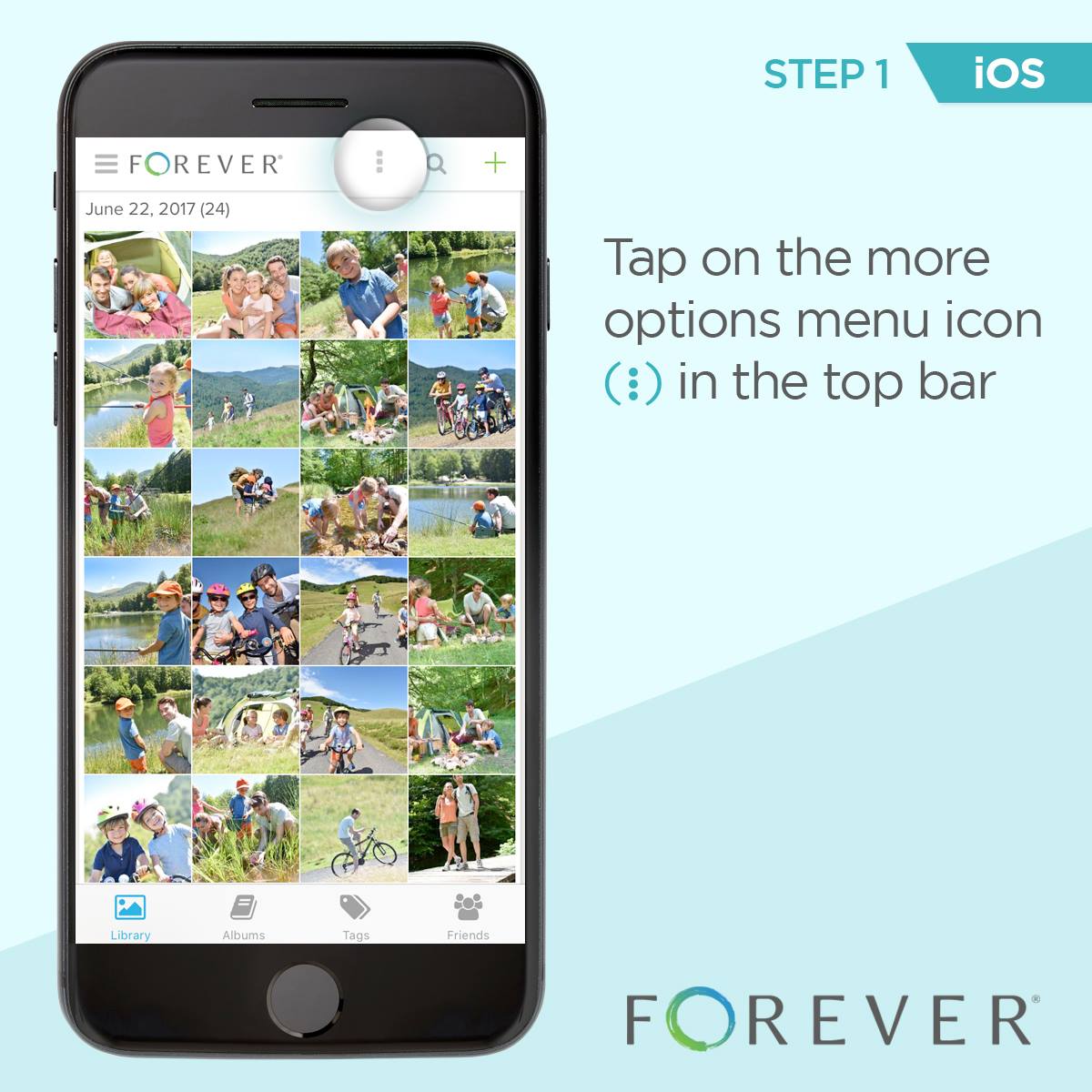
Step 1: Tap on the more options menu icon in the top bar.
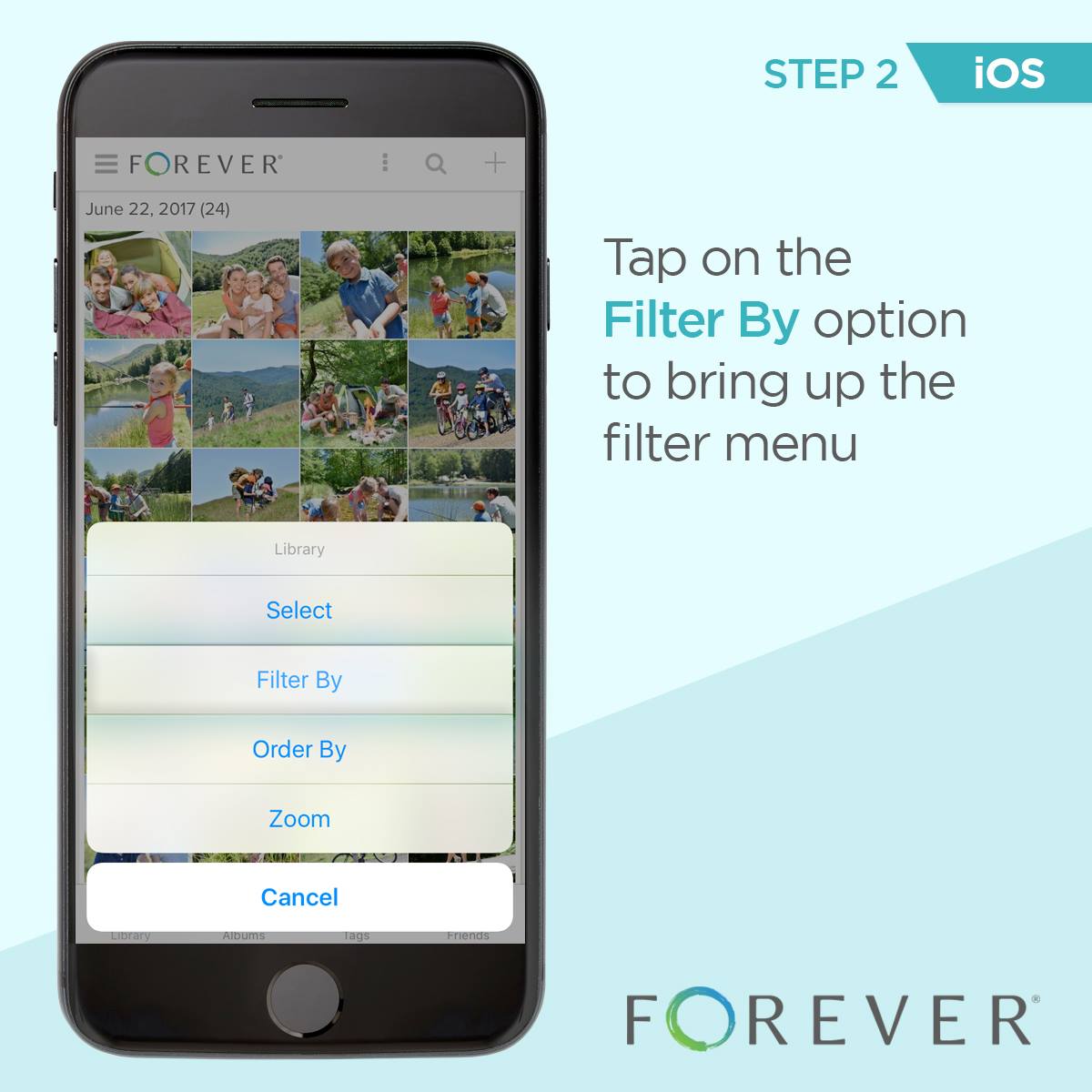
Step 2: Tap on the Filter By option to bring up the filter menu.
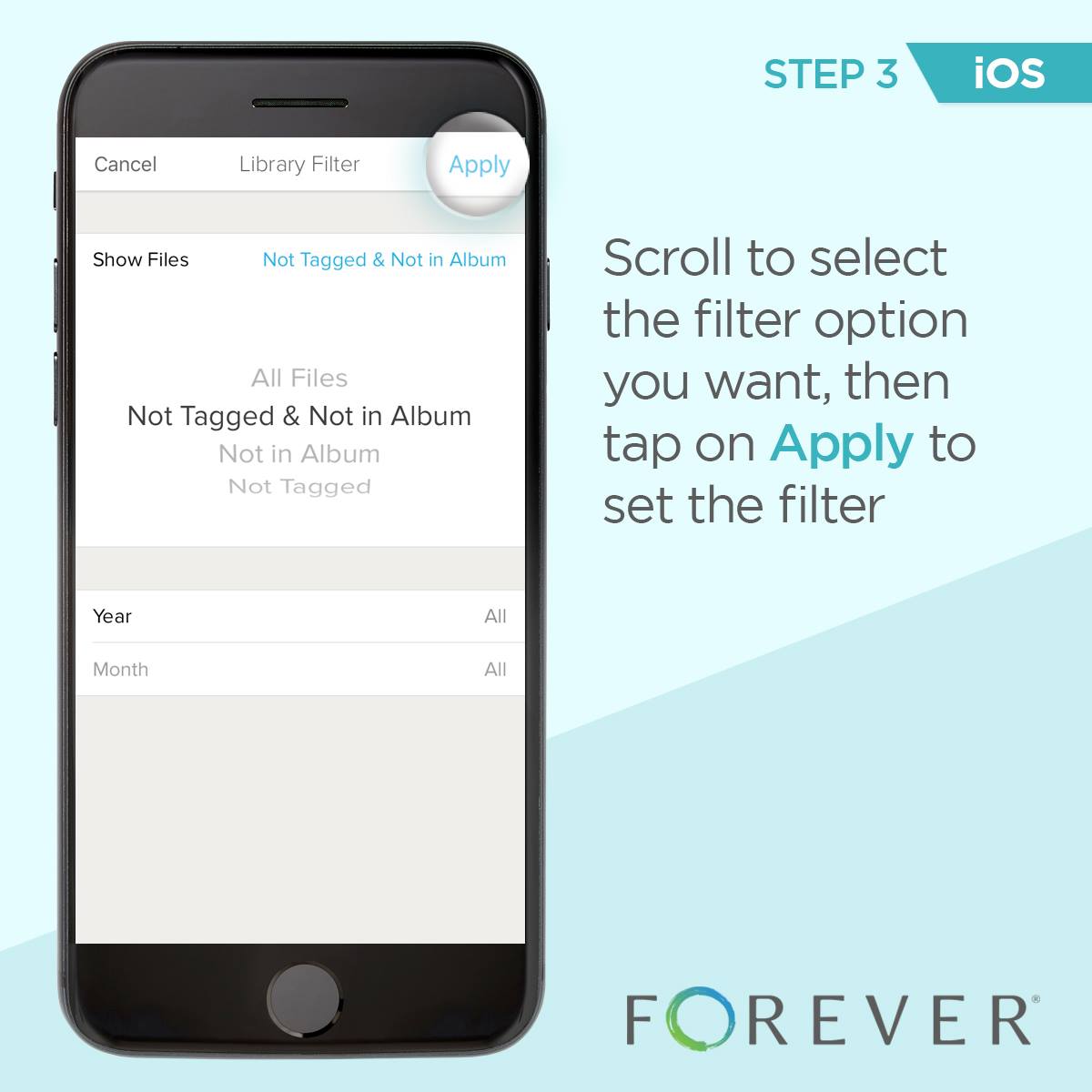
Step 3: Scroll to select the filter option you want, then tap Apply to set the filter.
Step 1: Tap on the more options menu icon in the top bar.
Step 2: Tap on the Filter By option to bring up the filter menu.
Step 3: Scroll to select the filter option you want, then tap Apply to set the filter.