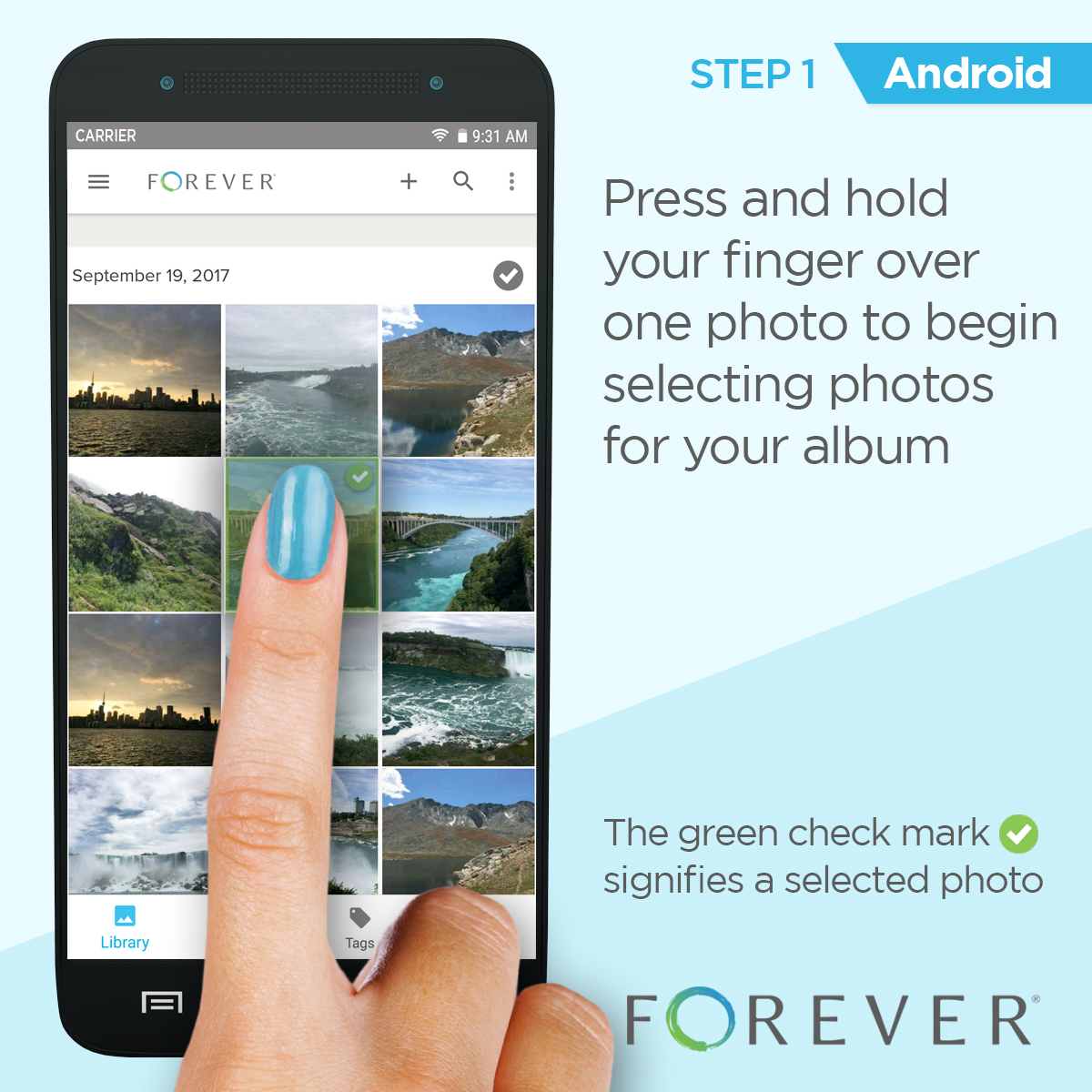
Step 1: Press and hold your finger over one photo to begin selecting photos for your album.
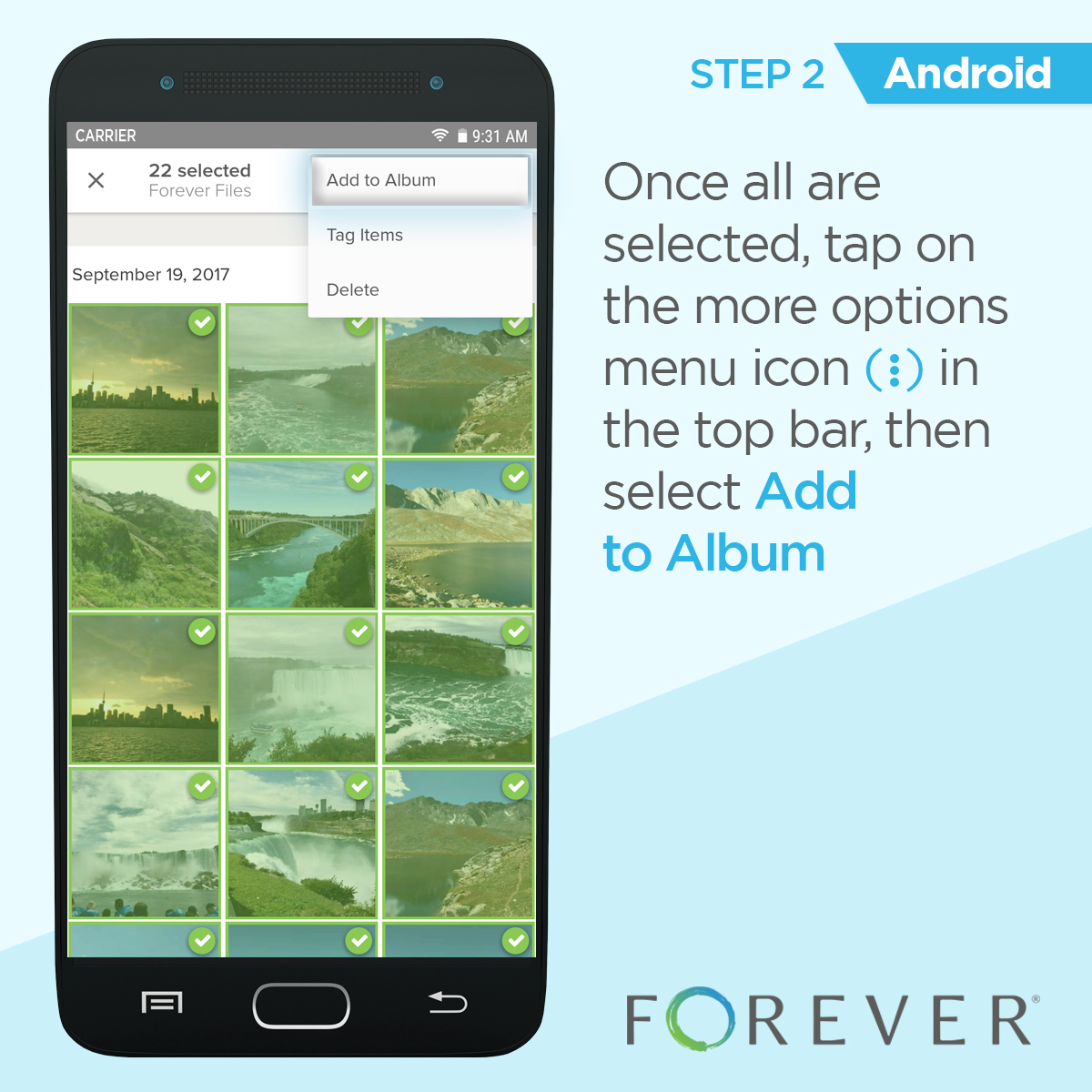
Step 2: Once all are selected, tap on the more options menu icon (three dots in the top bar), then select Add to Album.
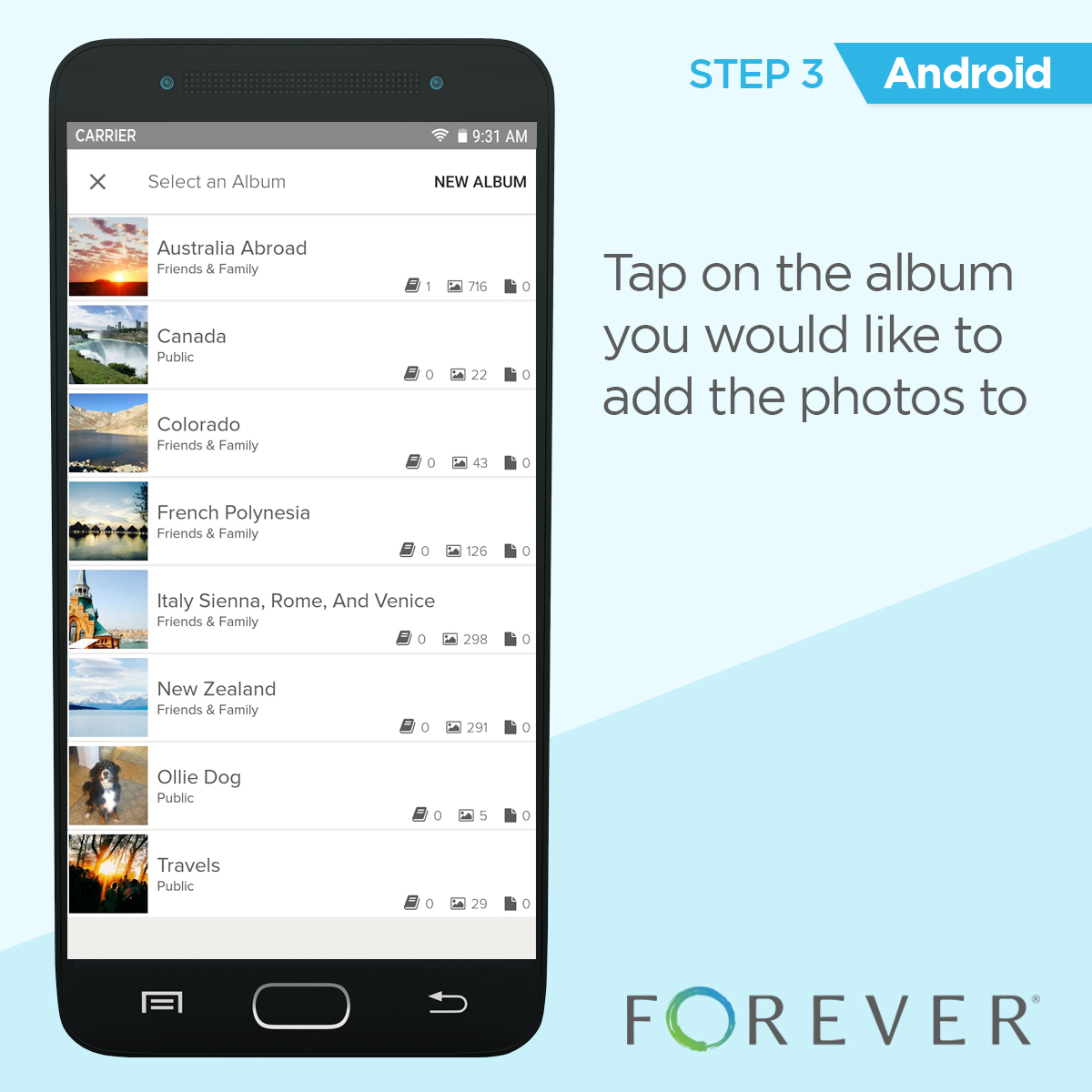
Step 3: Tap on the album you would like to add the photos to.
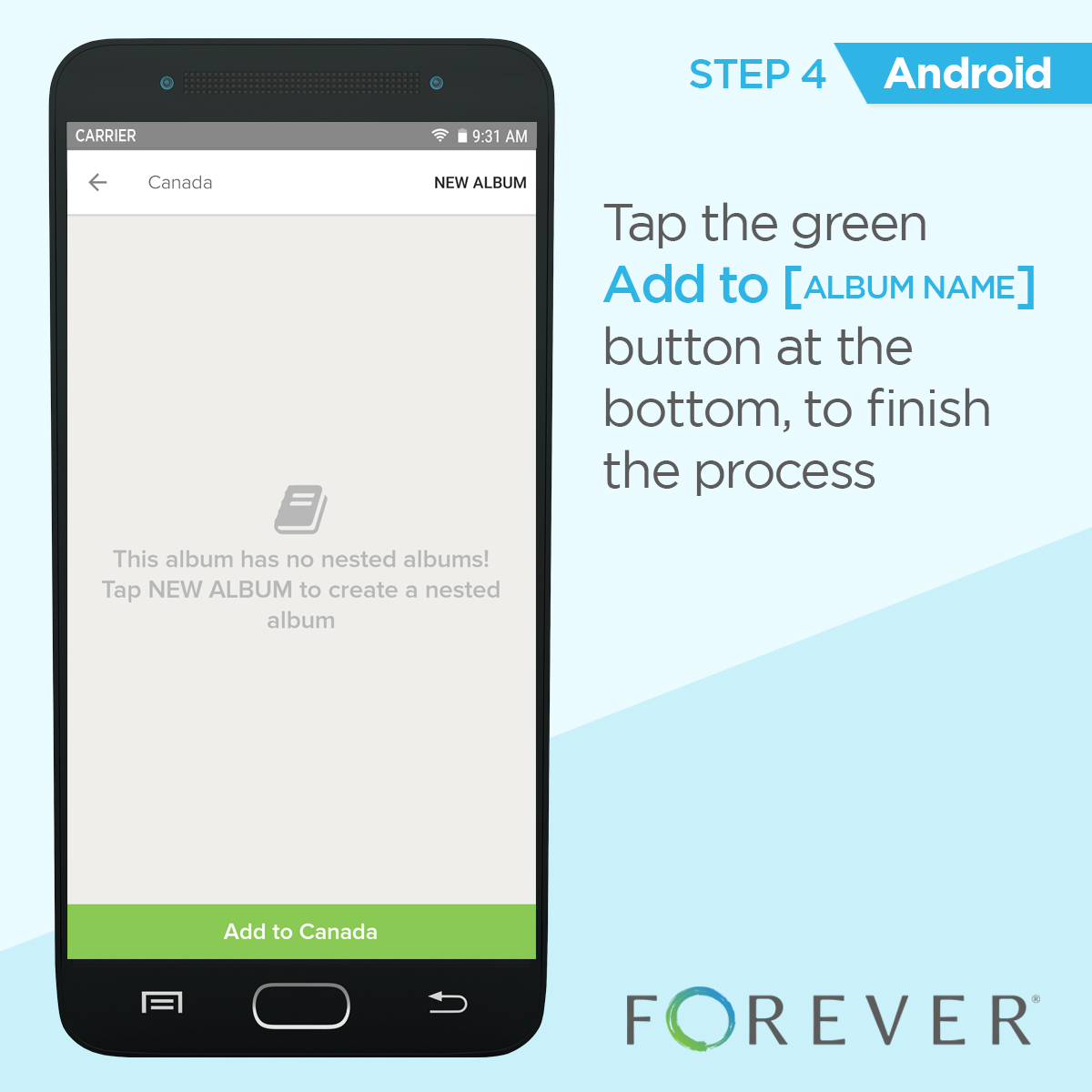
Step 4: Tap the green Add to [album name] button at the bottom to finish the process.